What your calculator can do

Every TI-84 Plus we sell comes with a retard.dev account and dashboard. These are the real dashboard and the real calculator screens: the calculator screen in each picture is drawn by the same code the calculator runs.

Why ours

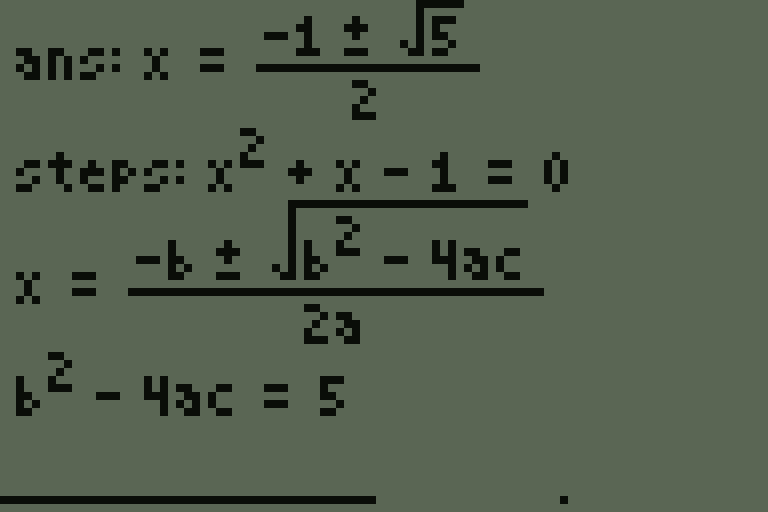
Other AI calculators send back a line of plain text. Ours draws the answer the way you'd write it.
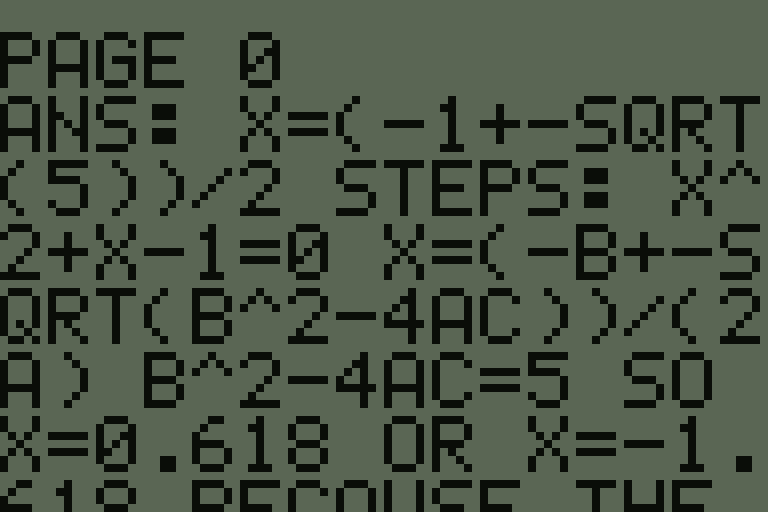
Other AI calculators
A plain-text AI answer on a calculator, running off the screen
retard.dev
The same answer drawn as real math on the calculator
retard.dev TI-84 PlusOther AI calculators
Answers drawn as real mathFractions, roots, integrals, sums and matrices, laid out like a textbook✓Plain text
Graphs and drawings in answersCurves, points, triangles and diagrams right on the screen✓No
Notes from a websiteWrite notes with math and graphs online, read them on the calculator✓No
Formula sheets65 ready-made sheets, Algebra to Calc 3, physics and chemistry✓No
Choose your AIIncluded AI or OpenAI, Anthropic, Gemini, DeepSeek, Grok, OpenRouter✓Locked to one
Your own API keysUse your own account with any of those providers✓No
Your own AI serverOllama, LM Studio, llama.cpp or any OpenAI-style server✓No
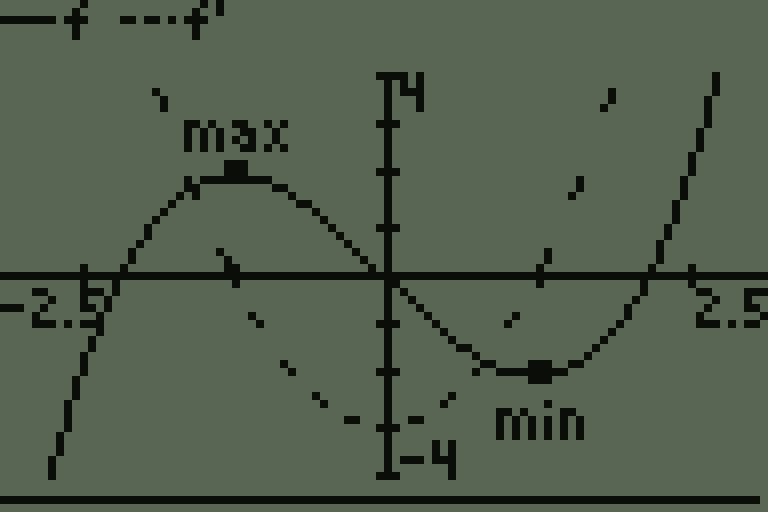
A graph in an answer
Graphs in answers
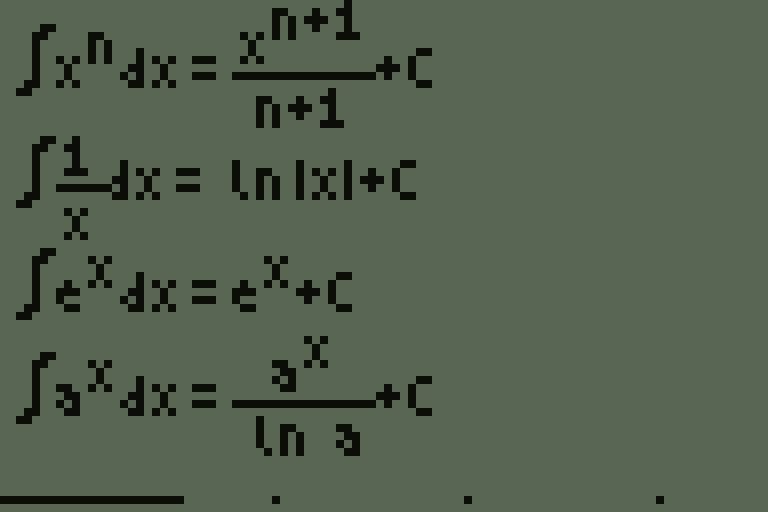
A formula sheet page
Formula sheets

Also included: notes and sheets that work without Wi-Fi once opened, chat rooms with math, and usage tracking on your dashboard.

Notes

Write notes on the website and read them on your calculator, with real math and graphs.
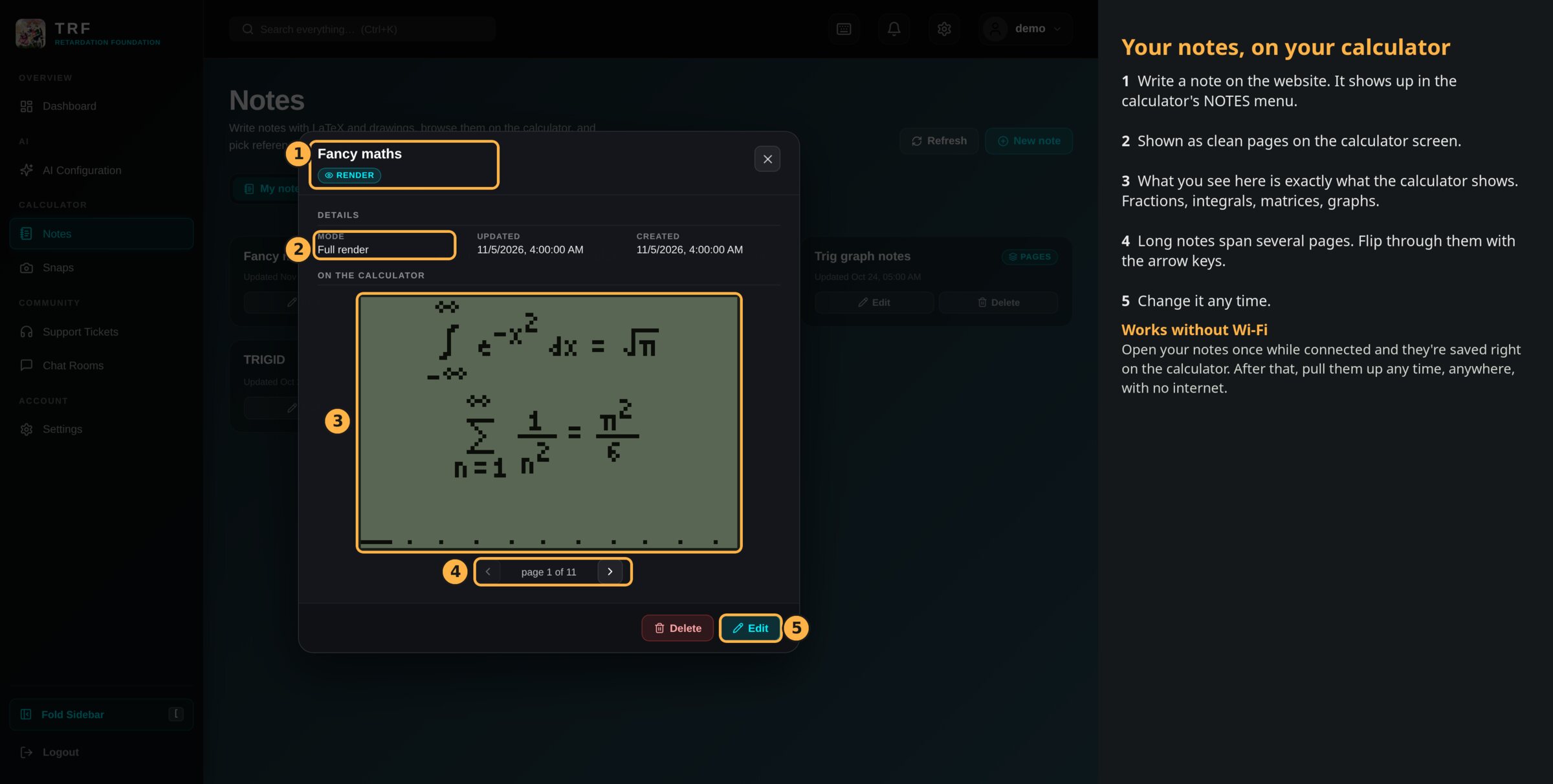
A note on the dashboard, shown exactly as the calculator draws it
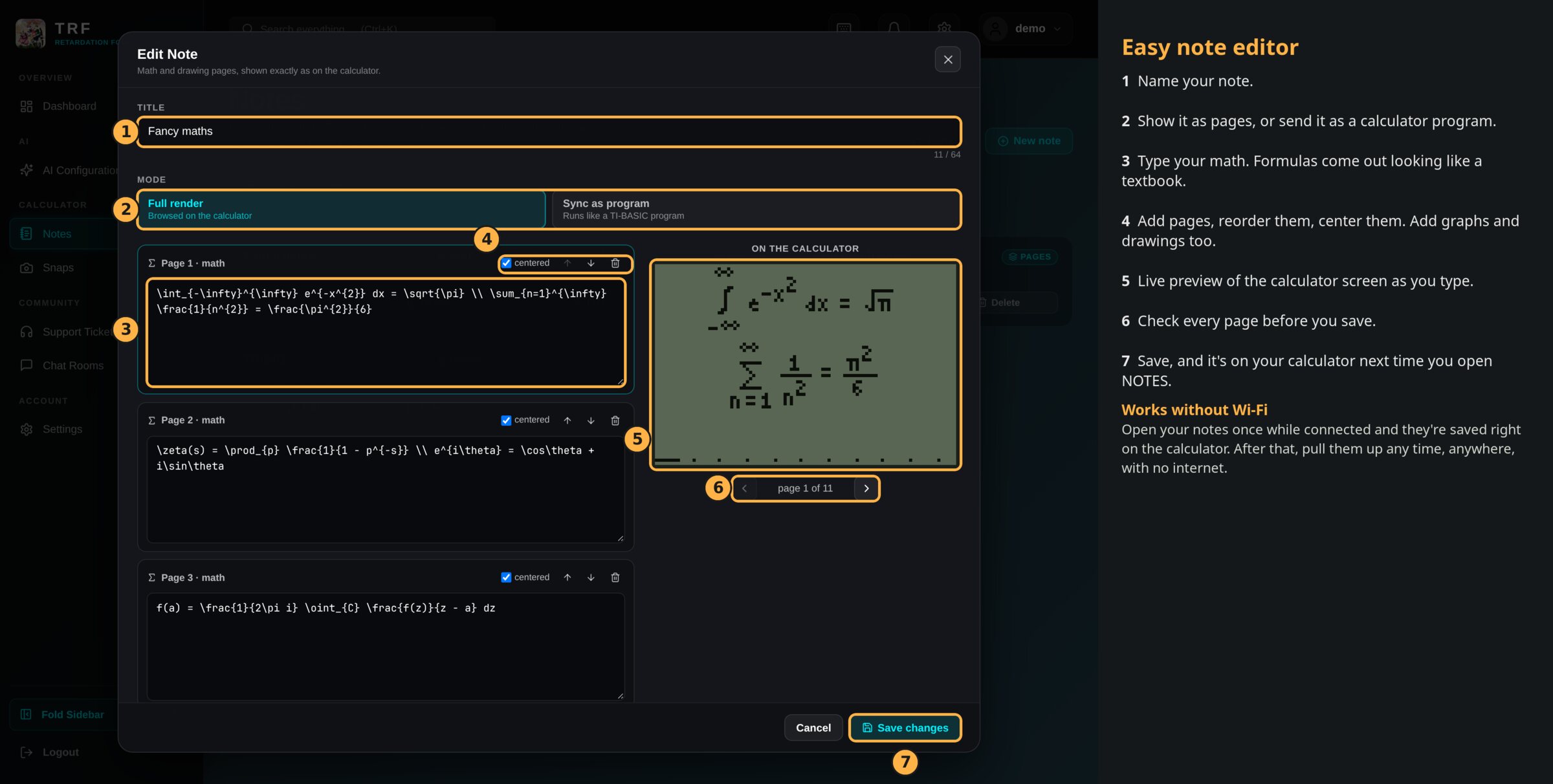
The note editor: type math on the left, see the calculator screen on the right
Your notes list
Every note you write shows up in the calculator's NOTES menu by title.
Real math
Fractions, roots, integrals, sums, matrices, Greek letters. Long notes wrap onto more pages by themselves.
Drawings and graphs
Graph functions and draw triangles, circles and number lines on a drawing page.
Live preview
The editor redraws the calculator screen as you type, so you see every page before you save.
Pages or a program
Show a note as pages, or send it to the calculator as a program.
Arrow keys
Long notes span several screens. Flip through them with the arrow keys.

Works without Wi-Fi: open your notes once while the calculator is connected and they are saved on it. After that they open any time, anywhere, with no internet.

AI

Choose which AI answers your calculator's questions, bring your own keys or your own server, and keep an eye on usage.
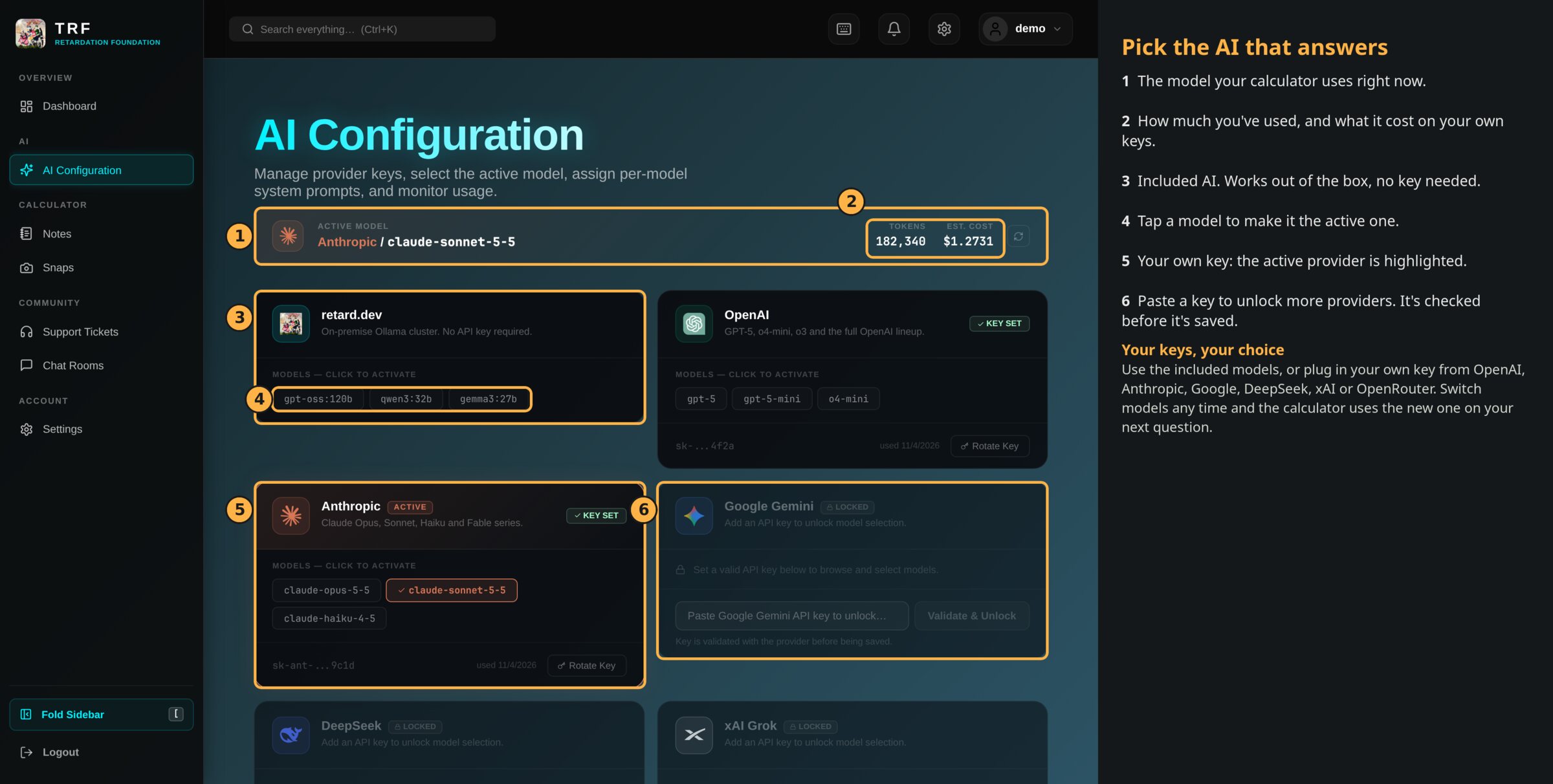
Providers, keys and the active model
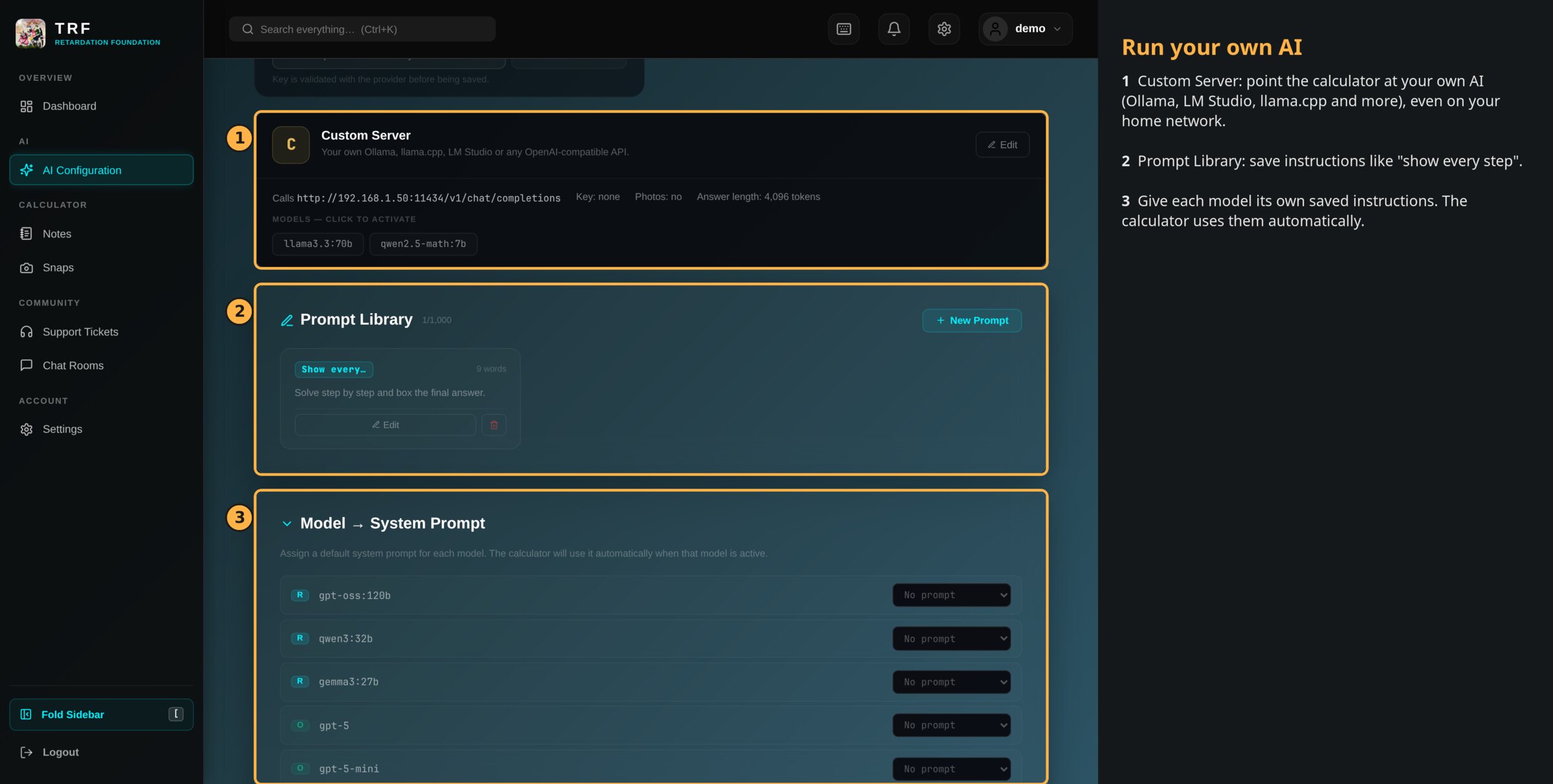
Your own AI server and saved instructions
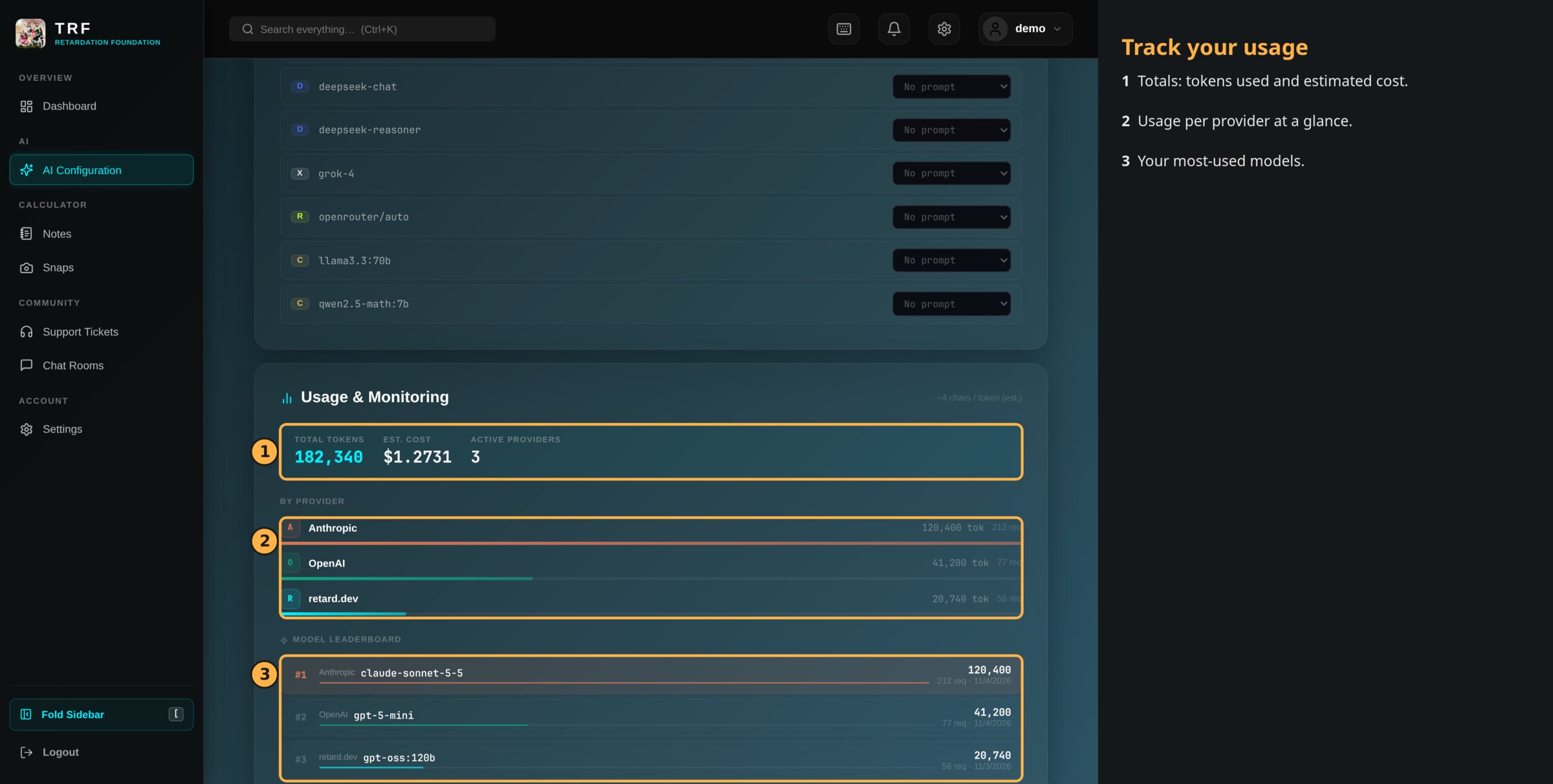
Usage totals, per provider and per model
Included AI
Works out of the box, no key needed.
Your own keys
OpenAI, Anthropic, Google Gemini, DeepSeek, xAI Grok and OpenRouter. Each key is checked with the provider before it is saved.
Switch any time
Pick a model and the calculator uses it from the next question on.
Your own server
Point the calculator at your own AI: Ollama, LM Studio, llama.cpp or any OpenAI-style server, even one on your home network.
Saved instructions
Save prompts like "show every step" and give each model its own.
Usage
Tokens used and estimated cost, per provider and per model.

Chat rooms

Study together: rooms where you send messages, real math, graphs and pictures.
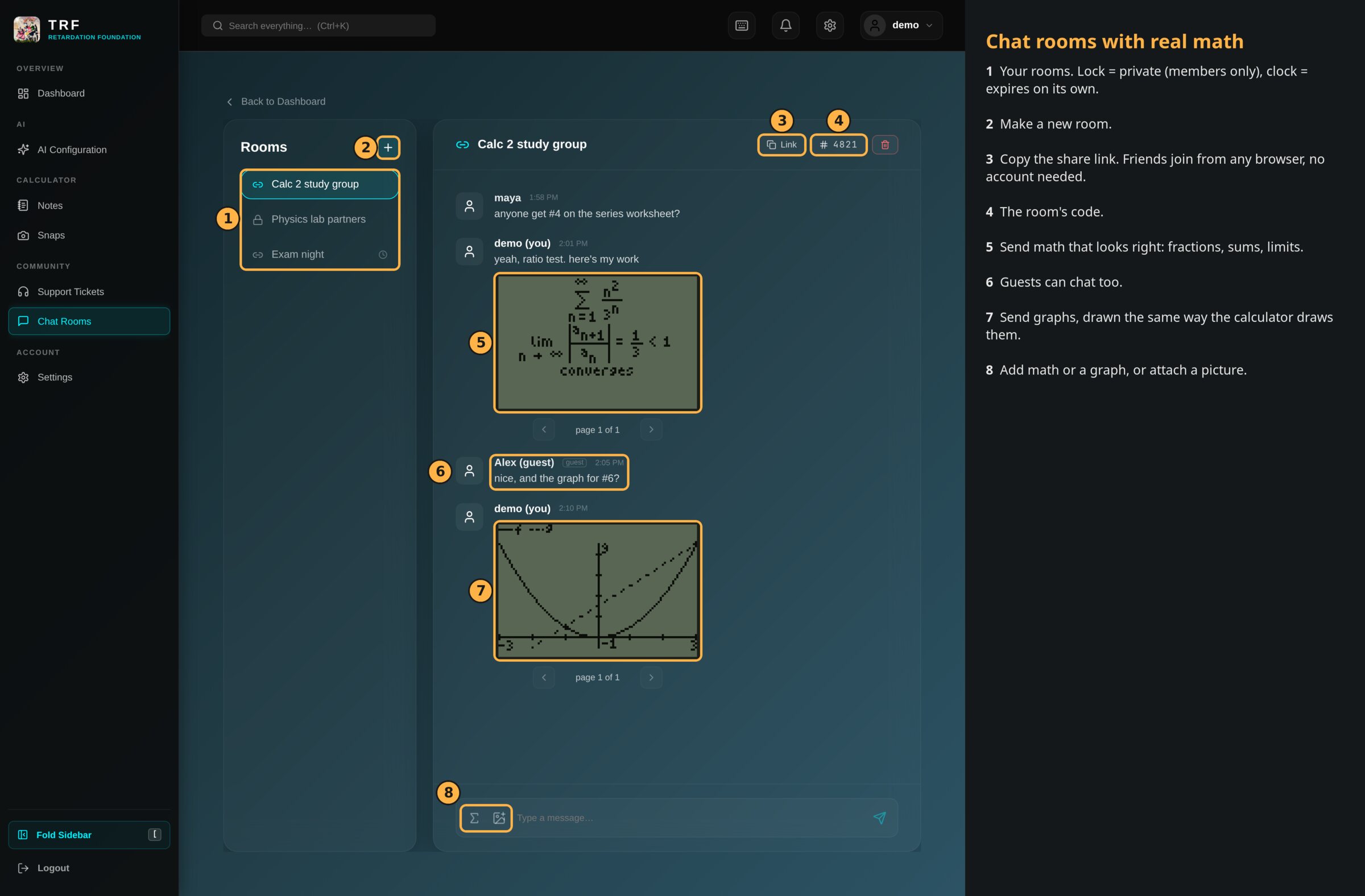
A study room with math and a graph in the conversation
Share link
Friends join from any browser with the link, no account needed.
Private rooms
Members only. Add or remove people any time.
Rooms that expire
Make a room that deletes itself after an hour, a day, a week or 30 days.
Math and graphs
Messages can carry math pages and graphs, drawn the same way the calculator draws them.
Pictures
Attach an image to a message.
Live
New messages show up by themselves.

Use rooms from the website on a phone or computer, or join one right from the calculator.

Reference book

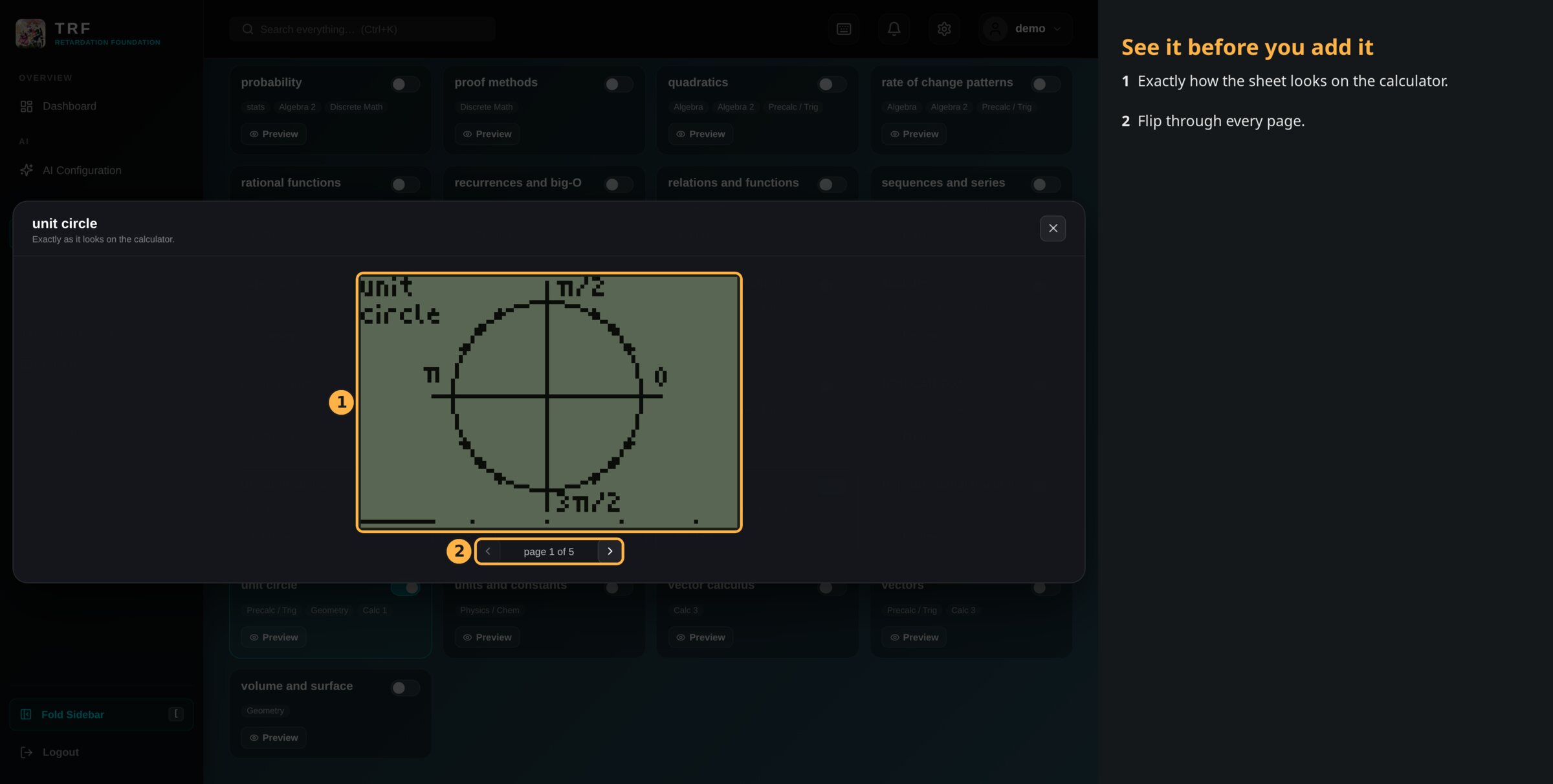
Ready-made formula sheets for your classes, made for the calculator screen.
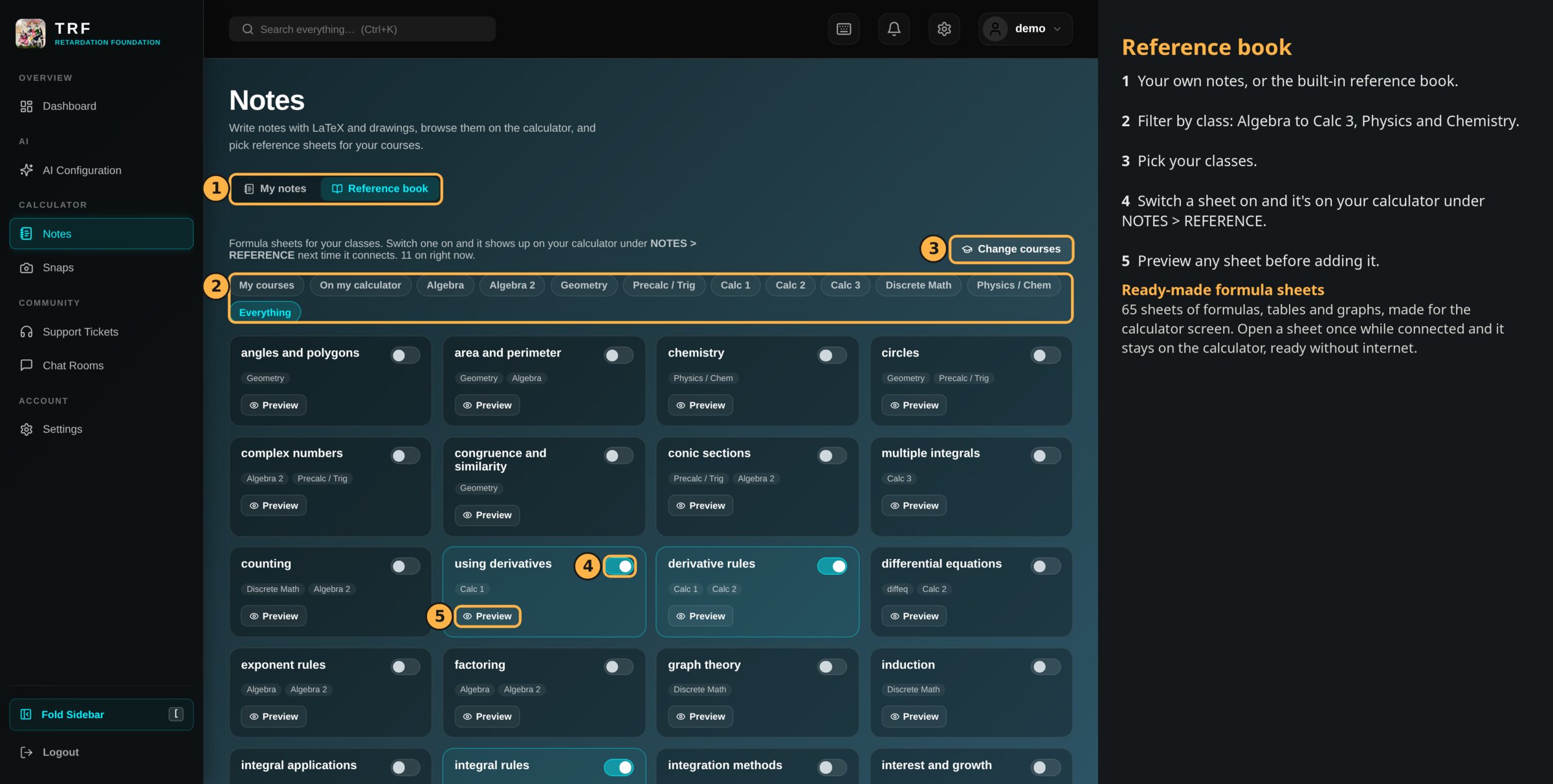
The reference book on the dashboard
Preview any sheet exactly as the calculator shows it
65 sheets
Algebra to Calc 3, discrete math, statistics, physics and chemistry.
Pick your classes
Filter by class and switch on the sheets you want.
On the calculator
Switched-on sheets show up under NOTES > REFERENCE.
Preview first
See every page of a sheet before you add it.

Open a sheet once while connected and it stays on the calculator, ready without internet. The unit circle is built in and always there.

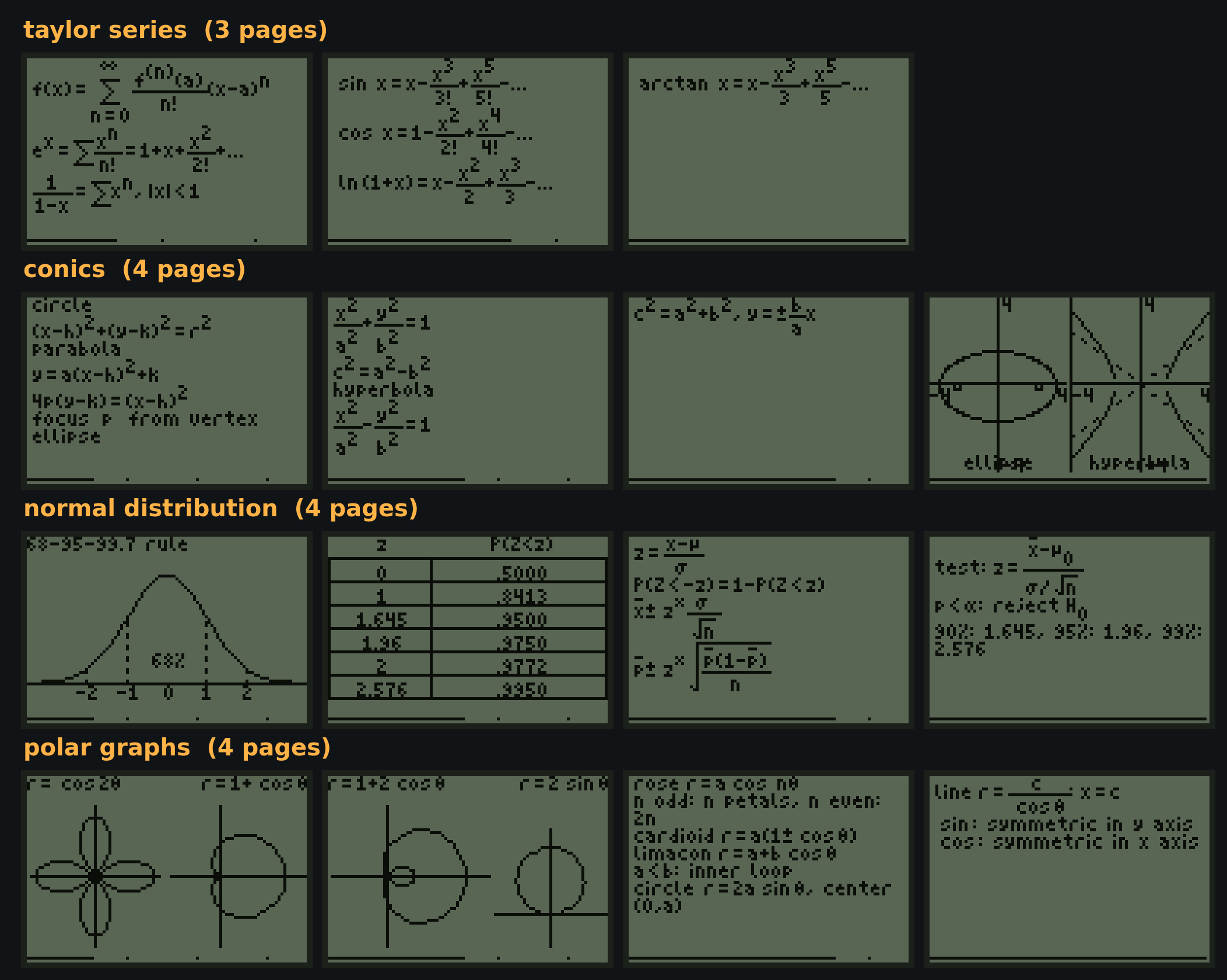
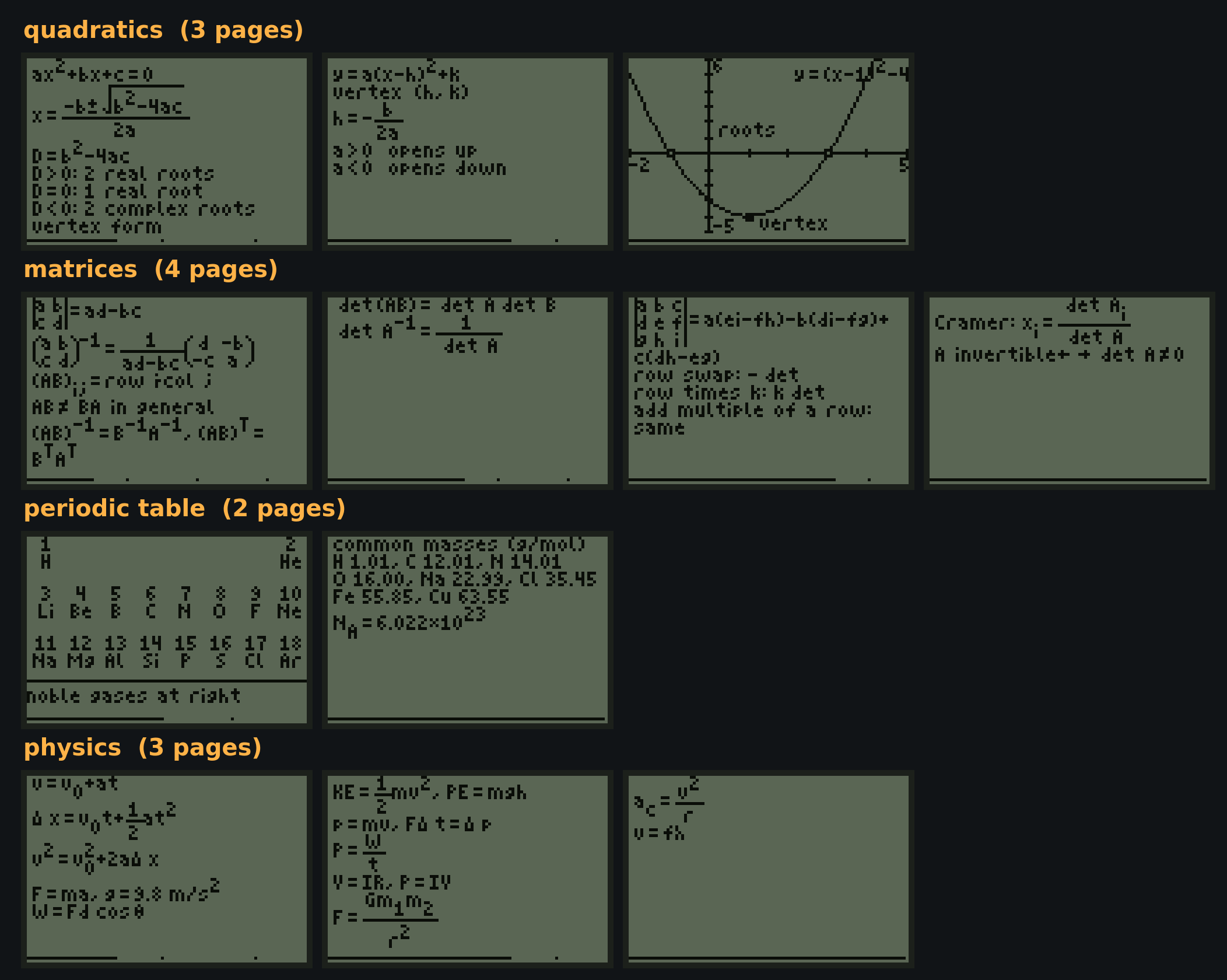
Some of the 65 sheets

Every page, exactly as it shows on the calculator.
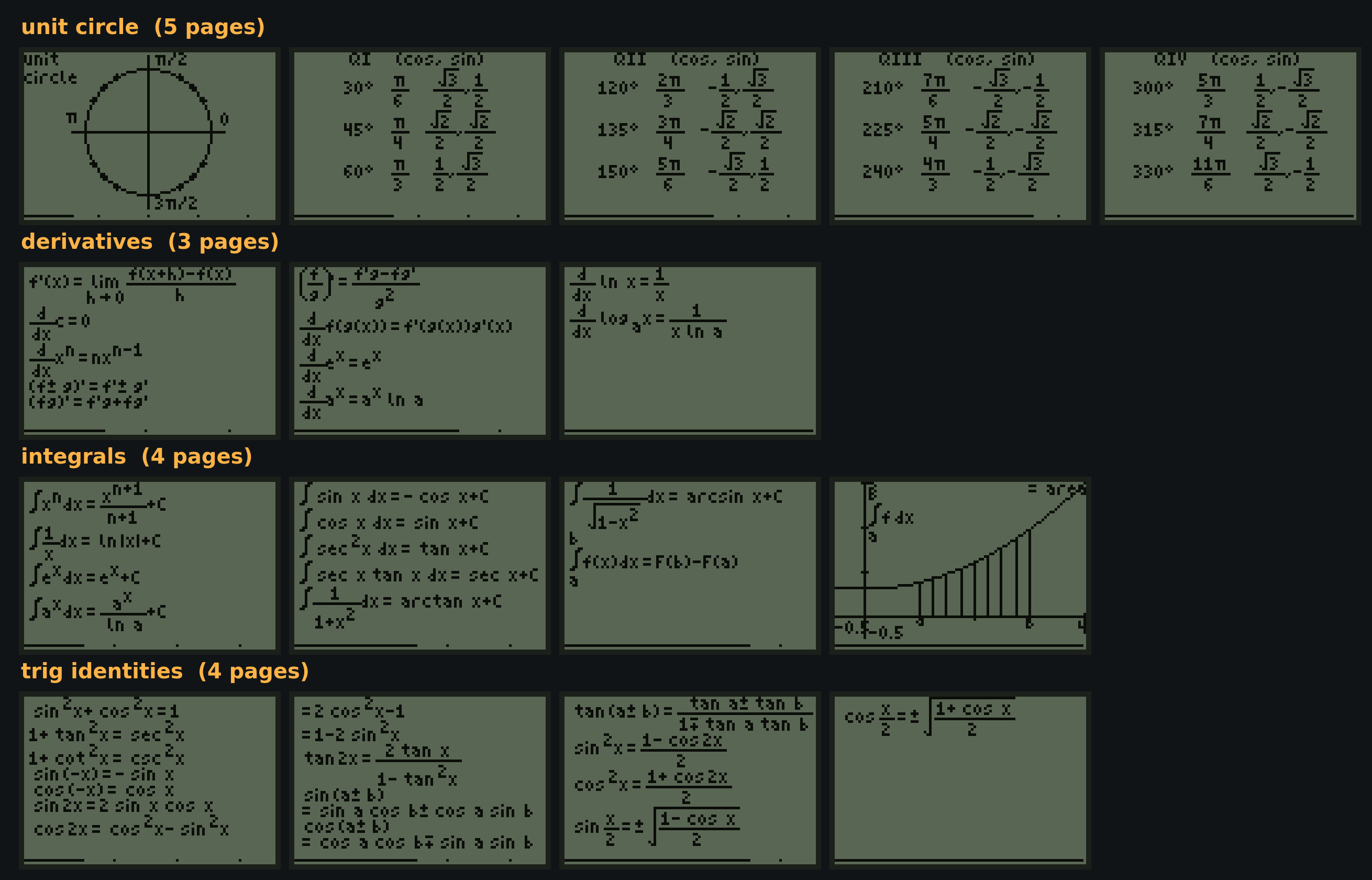
Unit circle, derivatives, integrals and trig identities
Taylor series, conic sections, normal distribution and polar graphs
Quadratics, matrices, periodic table and physics
Shop calculators

Payments go through Stripe: we never see or store your card details. See our Privacy Policy.